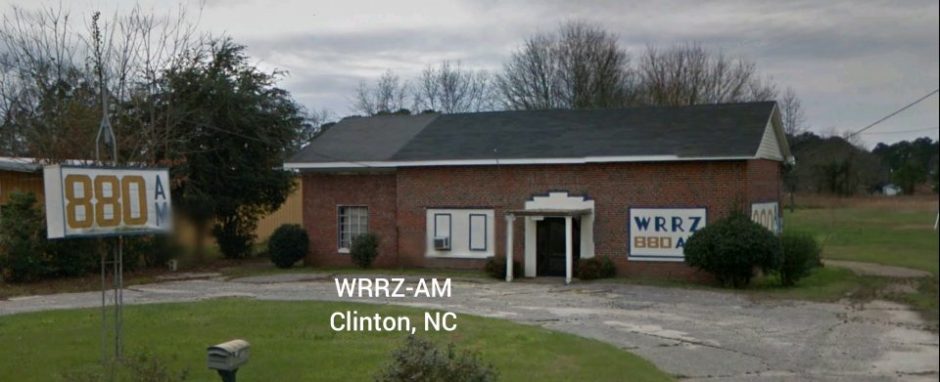
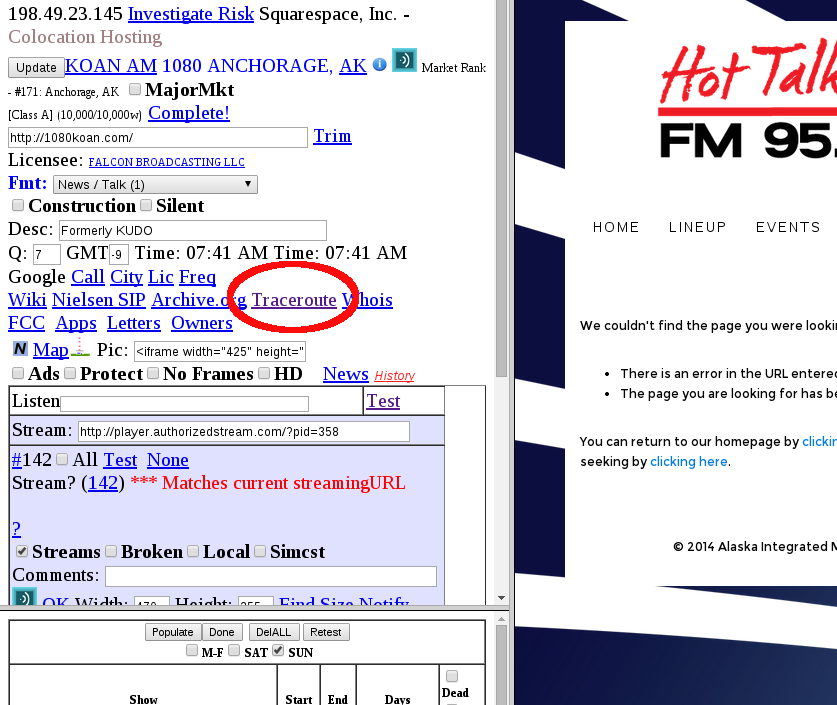
This morning’s project was to add an ability to “TraceRoute” to the server hosting a radio station’s website. Particularly if you are interested in “Net Neutrality”, seeing how the Internet works behind the scenes will help you have an informed opinion. First, let’s lay down some basics.
For your computer to talk to another computer on the Internet, there has to be a continuous series of communication circuits between the two. Obviously, every computer on the Internet does not have a direct connection to every other computer – so Internet Service Providers (ISPs) and BackBone transit providers run cables (mostly Fiber Optic) and have locations where everyone who is anyone exchange their traffic. Currently, this is a negotiated process – usually the sender of traffic (ie Netflix) pays to get your movie to a handoff point with your Internet Provider (ie Comcast) and then Comcast gets the movie to your house.
God’s law is that light and electromagnetic waves within our frame of reference travel at 186,000 miles per second, or 186 miles per millisecond (ms). There is no way around that unless you have a wormhole in your back pocket. The timings in Traceroute are for the round trip, so the absolute minimum time between two points (if the cables run in a straight line, which they don’t) would be 1 ms per 93 miles of distance.
What traceroute does is it bounces a message (3 times) along the path between you and the destination – returning the amount of time it took to send the message and bounce it back. There is nothing “hackerish” about traceroute – it is as old as the Internet and a widely used diagnostic tool.
I’ve added a link on the Station Editor to allow you to traceroute to any station’s web server. It can take upwards of a minute to do this test, during which you will see no output, so keep your hands away from the Refresh Button 🙂
Let’s say I’m looking at KOAN-AM in Alaska. The editor already tells us that the server is probably operated by Squarespace – is it in Alaska or somewhere else?
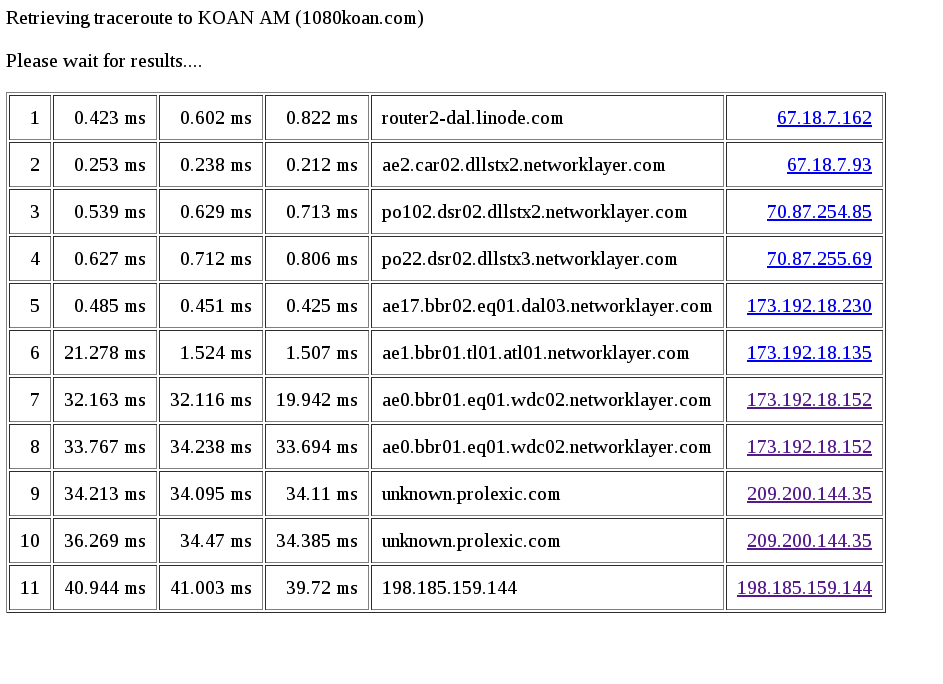
The traceroute runs from the sprawling StreamingRadioGuide computer center in Dallas, Texas (yeehaw!), not your computer. Here is the output:
Try it yourself http://streamingradioguide.com/traceroute.php?stationid=1532
Each point along the path has to have a network Router – every router has an IP address and an owner, but not necessarily a name. The final column has a link which should pull up who the owner/operator of that router is.
The internet convention for naming routers generally includes the 3 letter airport code of the nearest airport in the name. You might expect that the times would increase the further you get along the path, but that’s not always the case – there isn’t even any guarantee that packets of data all travel on the same path from moment to moment.
So what can we see from this example? The journey starts at the Router operated by LiNode (my web service provider)
The facility in Texas isn’t run by LiNode – it’s a large company called Equinix where they rent space.
The first half of a ms is time jumping between boxes within the data center. The time doesn’t go up until the path reaches “DCA” – if you travel a lot, you’ll recognize that is the airport code for Dulles Airport in Metro Washington DC. Dulles is close to a huge amount of internet infrastructure – nice and convenient to Langley Virginia for all your National Security needs to watch everything at all times.
From Washington DC, another 10 ms is added before we reach the destination of a place called Prolexic. If you google for that, you’ll discover that Prolexic is a company (owned by Akamai) based in Cambridge Mass (where MIT is located) which protects important websites from Distributed Denial of Service (DDoS) attacks. They are effective the “Deflector shield” in front of Squace Space (they offer an easy to use web building tool that costs $24/month for a business web site). If you keep tracerouting or behaving oddly, Prolexic just starts ignoring your requests, protecting the real server.
The distance from Dallas to Boston is about 1500 miles, divided by 93 is about 32 ms, so there is very little overhead caused by the routers and network congestion.
If you’re now in geek mode, you can do the same thing from your computer to any other computer on the internet – in Windows, start a DOS style command line window Start -> run -> command
and then type
tracert somehost.com
(traceroute for linux)
and you’ll get the same output, more or less – except your computer is the starting point, not the SRGuide computer.